


DramaVibe - Dramas & Reels
3.918.00 Reviews
App Specs
- Version
- 1.0.2
- Updated On
- License
- Free
- Downloads
- 100,000+
- Developer
- Level Prestige
- Categories
- Video Players & Editors
- Platform
- Android
Screenshots

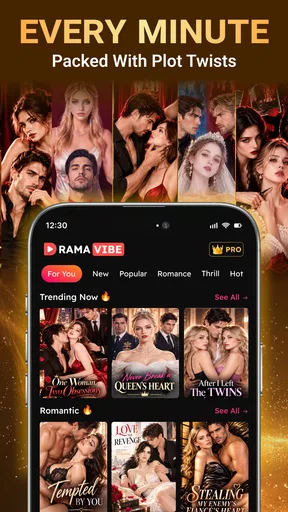
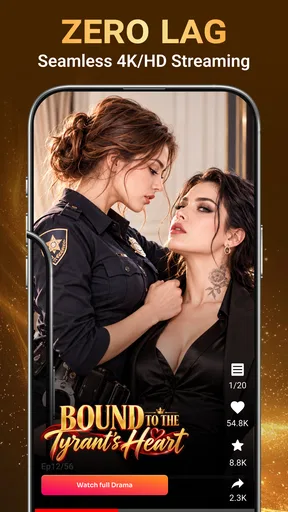

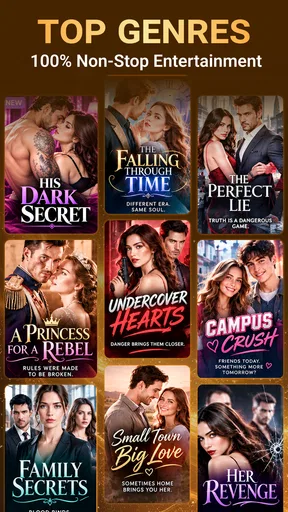
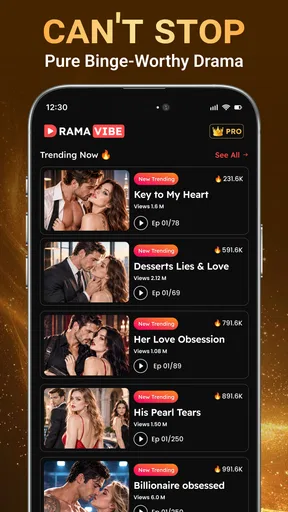
 Analysis by AppCompare
When I have a few minutes to spare, I often want a story that gets moving quickly rather than a full-length show that demands an evening. DramaVibe is built around that in-between moment: it brings short-form drama and brief video viewing together, so I can dip into a plot without making a large time commitment. That focus is appealing, though it also means the app is best judged as a compact entertainment option, not as a replacement for a broad streaming library.
In an ordinary day, that might mean opening it during a lunch break, choosing one short piece of entertainment, and returning to work without needing to plan a full viewing session. The useful question is not simply whether the videos are brief; it is whether the format fits the kind of break I actually have. I find that distinction makes the app easier to judge before it becomes part of a routine.
From a spare moment to a story
I look at this section as the starting point for deciding what kind of break I want: a self-contained clip or a story I’ll continue later. That small choice can save me from opening a serial when I only have time for a quick distraction, and it sets up the practical question of how to make each visit feel complete.
Choosing the right kind of viewing
DramaVibe is a free video-player and editing-category app from Level Prestige, but the experience described by its name and format is firmly about watching. Its appeal is the combination of mini-series, reels, and episodes designed to fit into short breaks. If I’m waiting for a ride, taking a lunch break, or winding down before bed, that shorter format makes it easier to start watching without first deciding whether I have time for a full episode of a conventional series.
The distinction between a reel and a continuing drama matters. A reel suits a quick, self-contained pause; a mini-series is more rewarding when I can give it several short visits and remember where its story left off. I’d treat those as different moods rather than interchangeable content. If I want a complete, carefully paced film, this format is unlikely to satisfy me. If I want a small story beat that can fit around the rest of my day, it makes more sense.
The app has a 3.9 average from around 335 ratings, and it has passed 100,000 installs. Those figures suggest an established audience, but they don’t tell me whether its particular stories will match my taste. Short drama is especially personal: a cliffhanger-heavy style can be fun when I want something brisk and melodramatic, but tiring when I’m in the mood for subtle writing or a slower build.
A practical way to use it
I’d begin by opening the app when I actually have a short viewing window, rather than browsing indefinitely while trying to decide what to watch. The format rewards a simple routine: choose a story or reel, watch until a natural stopping point, and leave the longer narrative for another break. That approach prevents a quick visit from turning into an unplanned session, especially if the next episode ends at a tempting moment.
Worth Reading Before You Choose

Flipboard Shows What News Apps Must Do Beyond the Feed

Switching to Android Auto Means Rethinking Your Driving Routine

Google Calendar Makes a Crowded Week Easier to Manage

Ludo King Makes the Most of the Minutes Between Plans

Baby Panda World Brings Quick Play to Modern Phones, but Its Game Library Feels Busy

ESPN’s Live Game View Makes Following Close Games Easier
For a commute, I’d make the choice before the train arrives and avoid starting a new drama just as I’m about to get off. A short episode can still end mid-plot, and switching from entertainment to messages or navigation is an abrupt handoff. At home, the better workflow is to decide on a limit first: one reel for a tiny pause, or a small stretch of a mini-series when I have enough time to follow its thread. This is a useful distinction because “short episode” doesn’t necessarily mean “easy to stop.”
One non-obvious benefit of bite-sized storytelling is that it can lower the cost of trying a genre I’m unsure about. I don’t have to commit a long evening to find out whether a dramatic setup works for me. The trade-off is that quick formats can rely on heightened emotion and rapid turns to hold attention. I’d sample a story with curiosity, but I wouldn’t assume that a short runtime guarantees a complete or deeply developed narrative.
A small practical adjustment is to decide what counts as a successful break before opening the app. If I have time for only a brief reset, I should choose something that can stand alone rather than hope a serial episode lands neatly at the right moment. If I have a longer pause, I can follow one story instead of sampling several and later struggling to remember which plot belonged to which title. That simple choice makes the short format feel more deliberate.
Picking up the thread between sessions
When I return to a continuing story after a day or two, the main challenge is remembering who wants what and why the last scene mattered. A practical tip is to stop at a point where the story’s immediate situation is clear, rather than closing the app halfway through a tense exchange. That small habit makes the next visit feel less like starting over. It also helps me tell whether I’m enjoying a series itself or simply reacting to its cliffhangers.
For a casual viewer, the handoff between short visits is central to the experience. A mini-series needs enough continuity to make each return worthwhile; a reel doesn’t carry the same memory burden. If I’m tired or distracted, I’d choose the lighter, more disposable option rather than expect myself to track several plots. If I want a story I can discuss or follow closely, I’d give one series my attention instead of jumping between snippets.
This is also where I would keep my own viewing routine simple. I’d avoid starting multiple dramas at once, especially if I expect to watch only in scattered moments. One continuing storyline is easier to resume than a collection of half-remembered cliffhangers, while reels can fill the gaps when I do not want to maintain any narrative context. The trade-off is variety versus continuity, and the better choice depends on whether I want a quick distraction or a story to carry through the week.
What the format does well—and what it asks of me
The strongest case for DramaVibe is convenience of scale. It gives viewers a way to enjoy dramatic storytelling in small blocks, rather than requiring them to coordinate their schedule around a full-length episode. That’s genuinely useful for people whose entertainment time comes in fragments. The app is also easy to understand at a broad level: it is for watching short-form drama and reels, not for managing a media collection or editing videos.
At the same time, short-form viewing can make a session feel fragmented. A longer series on a conventional streaming service usually gives scenes room to breathe and makes it easier to settle into a whole episode. A social-video feed may be better for people who want a wide range of unrelated clips with minimal narrative commitment. DramaVibe sits between those habits: more story-led than casual clip-scrolling, but less suited to immersive, long-form viewing.
Compared with a general video platform, the appeal here is a narrower promise: the short visit can still involve a continuing dramatic thread. That can make a break feel more engaging than scrolling through unrelated clips, but it also means I cannot treat every viewing session as interchangeable background noise. If I want familiar films or a large library for a planned night in, a mainstream streaming service is the better fit. If I want unrelated clips and constant variety, a social feed is likely more convenient.
I’d also keep the app’s commercial details in mind before making it a regular habit. It is free to install, while in-app purchases range from $1.99 to $249.99 per item. That is a broad range, so I would check the purchase screen carefully before paying for anything and decide in advance whether spending fits my budget. Free access makes it reasonable to try, but it doesn’t mean every part of the viewing experience is necessarily free.
For a first visit, I would treat any purchase prompt as a point to pause rather than a routine step in watching. Check what the prompt is offering and the amount shown before confirming anything; if I am only testing whether the stories suit me, I can leave the decision until I have a clearer sense of how I use the app. That is especially useful for someone who tends to tap through screens quickly or shares a device with a family member who might not recognize a purchase as optional.
Where the viewing flow can break
The main friction is not a technical claim I can make about playback; it is the mismatch between a short format and the way people actually use their time. If I open the app during a tiny pause and land on a story that depends on a sequence of episodes, I may leave with a half-finished plot instead of a satisfying break. A self-contained reel is a safer choice when I have only a moment. A continuing drama works better when I can return to it consistently.
Another limitation is the age guidance. DramaVibe is rated Teen, so I would not treat it as a children’s viewing app or assume every story is appropriate for younger viewers. If a teenager uses it, I’d still encourage a parent or guardian to make a judgment based on the content they encounter. The rating is a useful boundary, not a substitute for knowing what someone is watching.
The app’s current version is 1.0.2, and it requires Android 10 or later. That makes the minimum system requirement a practical first check before installing. Someone on an older Android device should look for an alternative that supports their phone rather than plan around this one. The release date is August 30, 2026; for me, that makes it sensible to approach the experience as a focused, relatively early product rather than presume it has the breadth or polish of a long-established streaming platform.
That also gives me a straightforward answer to a common compatibility question: on Android, I would check the operating-system requirement before downloading rather than assume an older handset will work. The confirmed device requirement is for Android, so I would not assume that the same version details apply across other platforms. For anyone choosing a viewing app primarily for a particular phone or tablet, checking compatibility first is a better use of time than planning a routine around it and discovering a mismatch later.
Who I’d recommend it to
I’d suggest DramaVibe to someone who enjoys dramatic plots but rarely has a long stretch of uninterrupted free time. It may also suit a viewer who likes sampling short stories during breaks and doesn’t mind returning to a plot in pieces. The most useful personal rule is to match the content to the time available: choose a reel for a brief pause, and start a mini-series only when you’re comfortable carrying its story forward.
A realistic use case is a person with a few minutes between errands who wants more of a story than a random clip, but not enough time to begin a full episode elsewhere. I’d pick one short piece, enjoy it as a deliberate pause, then close the app before heading into the next task. It is less compelling for a shared movie night, where viewers usually want a complete arc, or for a busy commute when interruptions make it difficult to follow dialogue and plot.
I’d skip it if my priority were films, complete long-form episodes, a large catalog of familiar mainstream titles, or a viewing session with carefully controlled pacing. I’d also choose another option if I dislike cliffhangers, prefer self-contained stories, or don’t want to navigate in-app purchases. Those aren’t flaws for every viewer; they are signs that the app’s short-drama focus may not match what I’m looking for.
My take after weighing the routine
DramaVibe makes the most sense as a small, on-demand entertainment stop: open it, choose something that fits the time I have, and leave before a quick break becomes a longer commitment. Its mix of brief reels and ongoing drama gives it more narrative potential than a stream of disconnected clips, but that continuity asks me to keep track of stories across visits. I’d try it if short dramatic viewing sounds enjoyable, watch the purchase prompts with care, and judge the experience by whether its stories make those spare minutes feel well spent.
My recommendation is therefore selective rather than universal. If short, dramatic viewing sounds like a pleasant way to use fragmented downtime, I’d give it a try while keeping spending decisions separate from the initial test. If I want a broad entertainment library, uninterrupted storytelling, or a format that requires no memory from one visit to the next, I’d choose a different kind of video app. The best reason to use it is its fit with brief, story-led breaks; whether that is enough depends on how I like to watch.
Pros
- Offers a convenient way to discover short-form dramas and reels in one place.
- Bite-sized episodes fit easily into short breaks or commutes.
- Genre variety makes it easier to find stories that match your mood.
- Vertical video is designed for comfortable viewing on a phone.
- Quick episode format can make it easy to follow a story at your own pace.
Cons
- Some dramas may require payment or an ongoing subscription to continue.
- Frequent ads may interrupt viewing
- depending on the content and plan.
- Video streaming can use significant mobile data without Wi-Fi.
- Availability of dramas and features may vary by region.
- Short episodes may end on cliffhangers that encourage extended viewing.
FAQs for DramaVibe - Dramas & Reels
What is DramaVibe - Dramas & Reels?
DramaVibe - Dramas & Reels is an entertainment app focused on short-form dramatic stories and reels. It is designed for viewers who want quick episodes or clips rather than committing to a full-length film or series. The exact selection, episode length, and available features may change over time, so check the app’s current listing and on-screen details to see what is offered in your region.
Is DramaVibe free to download and watch?
The app may be available to download without an upfront charge, but that does not necessarily mean every episode or feature is free. Some entertainment apps use advertising, in-app purchases, subscriptions, or a combination of these to support viewing. Before watching, review the pricing information shown in the app and in its store listing, and confirm any purchase or subscription terms before agreeing to them.
Can I watch dramas offline with DramaVibe?
Offline viewing depends on whether DramaVibe currently offers downloads for the content you want to watch. Look for a download option on an episode or in the playback controls; if there is none, the video will generally require an internet connection. Streaming over mobile data can use a significant amount of data, so Wi-Fi is a sensible choice when available. Check the app’s settings for playback or download controls.
Does DramaVibe require an account, and what information might it collect?
Account requirements and data practices can vary with the app’s version and the features you use. You may be able to browse some content without signing in, while saving progress or accessing other features could require an account. Before registering, read the app’s privacy policy and review the permissions requested on your device. Provide only information you are comfortable sharing, and avoid granting permissions that do not seem necessary.
Is DramaVibe suitable for children, and where can I get it safely?
DramaVibe’s suitability for children depends on the themes and maturity of the dramas and reels available, so parents should review the store age rating and sample content before allowing use. For a safer download, use the official Google Play Store or Apple App Store listing for your device rather than third-party download sites. Also check regional availability, recent reviews, and device compatibility before installing.


